10 Best Free Recharge apps to get free Talktime/Recharges on your Android Mobile
Today most of us have Smartphones or Android phone’s so why not let our so-called “Smartphones” let themselves do the earning for themselves  ? . Its quite easy too and believe me even if half of the time devoted to chat on apps like Whatsapp/hike/Line etc is given to these awesome earnings apps they will earn you a quite handy amount! . Which in turn can be used to redeem mobile recharges,Discount coupons etc amazing, isn’t it Making the phone a real “Smart” one. So lets have a look on the 10 Best free Recharge apps to get free to get Talktime/Recharges right on your mobile by doing practically nothing!.
? . Its quite easy too and believe me even if half of the time devoted to chat on apps like Whatsapp/hike/Line etc is given to these awesome earnings apps they will earn you a quite handy amount! . Which in turn can be used to redeem mobile recharges,Discount coupons etc amazing, isn’t it Making the phone a real “Smart” one. So lets have a look on the 10 Best free Recharge apps to get free to get Talktime/Recharges right on your mobile by doing practically nothing!.
Moreover,this free Money/Recharge thingy is quite unpredictable an app developer or company suddenly stops giving the Recharges(e.x MAdlock,UReward,PaisaWiz,hike!) or free benefits,thus resulting in Public outage, hence i have posted only trustworthy apps and will update this post from time to time so no need to worry, you’re absolutely safe with us
1 : Ultimate FreeB App

Ultimate FreeB is yet another awesome app which pays you for completing the listed offers to get your free recharge. The listed offers consists of trying out new apps, watching videos and even sometimes just browsing a single link. Thus, you get free recharge simply for completing offers which may even consitute of browsing a single link, besides these it has Multiple payout options such as-
- Free Prepaid Mobile & Data Card Recharge.
- Free Postpaid bill payments.
- And even free DTH Recharge.
Besides, these FreeB App gives you Rs.30 per friend referral (out of which Rs.5 is guaranteed if your friend installs the FreeB app)
2 : Amulyam
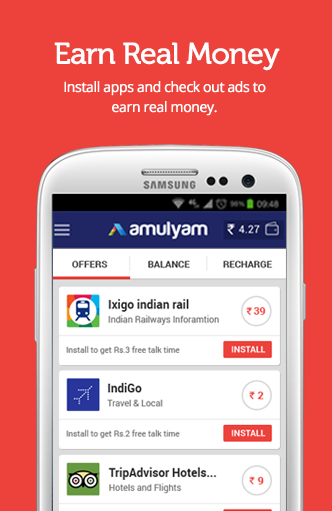
Amulyam was the first company in India to sponsor free recharges through Ad-viewing . Naturally it wasn’t going to lag behind in the app-for-recharge race
Method : Amulyam offers money for installing apps upto the limit of Rs.40, frankly speaking the payout is never so high and infact Amulyam has comparatively lower payouts as compared to other apps  . But its the Reliability where it marks ahead. Besides installing Apps and Viewing ads, you can also use the Invite Option to invite your friends.
. But its the Reliability where it marks ahead. Besides installing Apps and Viewing ads, you can also use the Invite Option to invite your friends.
Amulyam pays Rs.7 on each successful friend Invite
3 : Fokat Money

Not to be mistaken by its common name, the App Fokat Money is really a useful app to get Free Recharges on your Android Phone. Fokat Money pays you by giving free recharges for downloading apps from its offers section and even for shopping online too!!
Like Ultimate FreeB Fokat Money has the most versatile payment options which include –
- Free Prepaid Mobile Recharge
- Free Postpaid Bill Payments
- Free DTH & Data Card recharges too!
Besides these , You can even earn Rs. 50 for each friend you refer to Fokat Money.. A useful app indeed.
4 – Ladooo

After some time in exile ladoo is back on our list, due to its trustworthiness and loyal userbase. Ladoo gives you free recharge for downloading apps, completing surveys , and for playing quizzes too.. Thus, ladooo is one of the good free recharge app for android in the market , which is soon filling up with fakes.
Besides, these you can even redeem your Ladooo earnings directly to your Paytm account, which is equivalent to bank redeem! . As paytm earnings can be redeemed to your bank account too.. The earnings from ladoo can also be said as real earnings.!
5 : TaskBucks App

Task Bucks app is again making a grand re-entry into our list due to various new features it has added to the app and a positive feedback
Method : Task Bucks too works on the familiar Download apps to get Recharge, but it also has payment options for getting paid for visiting websites , filling forms as well as sharing articles to your friends!. Once you install any application through it, Open the installed application for about 30Seconds and then leave it. Your credits will be credited to your account which can be redeemed for Mobile Recharges!
- Also, even more! – Task Bucks also provides Rs.25 per each friend Referred (referral). And you can even redeem your earnings in the form of PayTM Cash!
App No 6 : Earn Talktime app
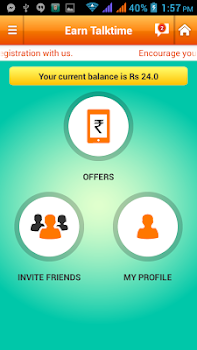 Earn Talktime is a simple app which lets you earn money/credits by doing actions. Actions may be downloading an app or simply referring a friend to earn talktime app. Earntalktime is perhaps one of the most stable & oldest free recharge apps around.
You can earn upto Rs.20 per successful download and installation of App downloaded through Earn Talktime app, Plus you also get additional Rs.21 for each successful Friend Referral! (Invited + installed an app)
7 : FreePlus App
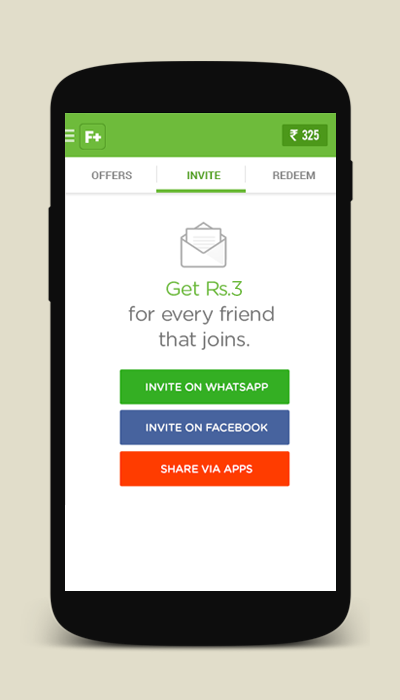
FreePlus app is an exciting new app launched with the same architecture to get Free Recharges and Gift Cards. Amount is credited each time you complete the offers by either downloading the apps through it or by viewing the ads.
Method : Install the FreePlus app,Register using your E-Mail ID, and start completing free offers such as Downloading Apps to get Free Recharge amount credited in your wallet. Each App downloaded through FreePlus can earn you upto Rs.20 (max), Also you can earn more by referring your friends to FreePlus. FreePlus provides you Rs.20 per successful Friend Referral who downloads an app, Rs.5 otherwise .
.
8 : mCent
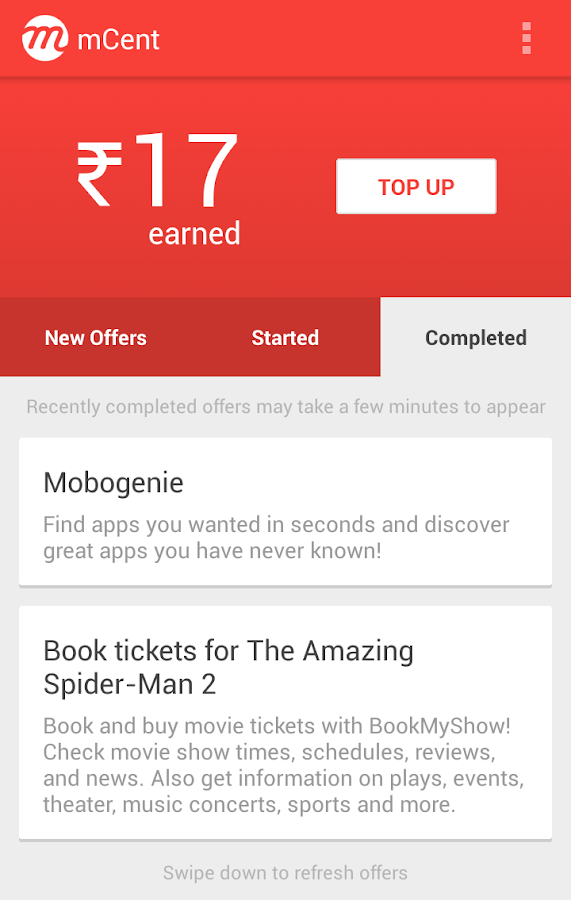
mCent may be a newer entry for Indian users in this Free Recharge Category, but its present in the Global market from a long time, and i have earned quite a hefty amount from it
.Method : mCent pays you Rs.10 as sign-up bonus, Plus Mcent also pays you Rs.20! for each friend you refer :). The minimum Amount for Redemption is Rs.10...
mCent also pays you for installing apps, Completing Offers and Surveys and its a good amount On an average Rs.15 are credited to you,just for installing a Single app.! Talk more about awesomeness!
On an average Rs.15 are credited to you,just for installing a Single app.! Talk more about awesomeness!
9 : Genie Rewards

Genie Rewards is the newest entry among this list !. And its refreshing to see the number of offers for installing apps and sign-ups available with Genie.
Genie is thus a good free recharge giving app which can be a good addition to your phone storage.
10 : AppTrials app

AppTrials is now making a re-entry into our list due to its trustworthiness and regularity in giving the credits to users who have downloaded apps.
Its one of the oldest apps in the market and is still going strong with its new material design.
AppTrials also gives Rs.10 per sucessful friend referral!. Besides this you can even redeem your AppTrials earnings into PayUMoney which is a real bonus!


